Email-to-Print Gateway: What It Means + 4 Alternatives Compared
"Email-to-print gateway" is enterprise speak for a piece of software that accepts incoming email at a special address (like print@yourcompany.com) and prints whatever was attached. They sit on a server somewhere on your network, run continuously, and route messages to printers based on rules.
If you're researching this category, you almost certainly don't actually need a gateway. Here are the four alternatives that do the same job for less.
Table of Contents
- What "Email-to-Print Gateway" Actually Means
- When You Actually Need a Gateway
- Alternative 1: Desktop Auto-Print Apps
- Alternative 2: Forward-and-Print via a Shared Mailbox
- Alternative 3: Cloud Print + Email Forwarding
- Alternative 4: Programmatic API + Cron
- Decision Matrix
- The Specific Recommendation for Most Buyers
- TL;DR
What "Email-to-Print Gateway" Actually Means
Three properties define this category:
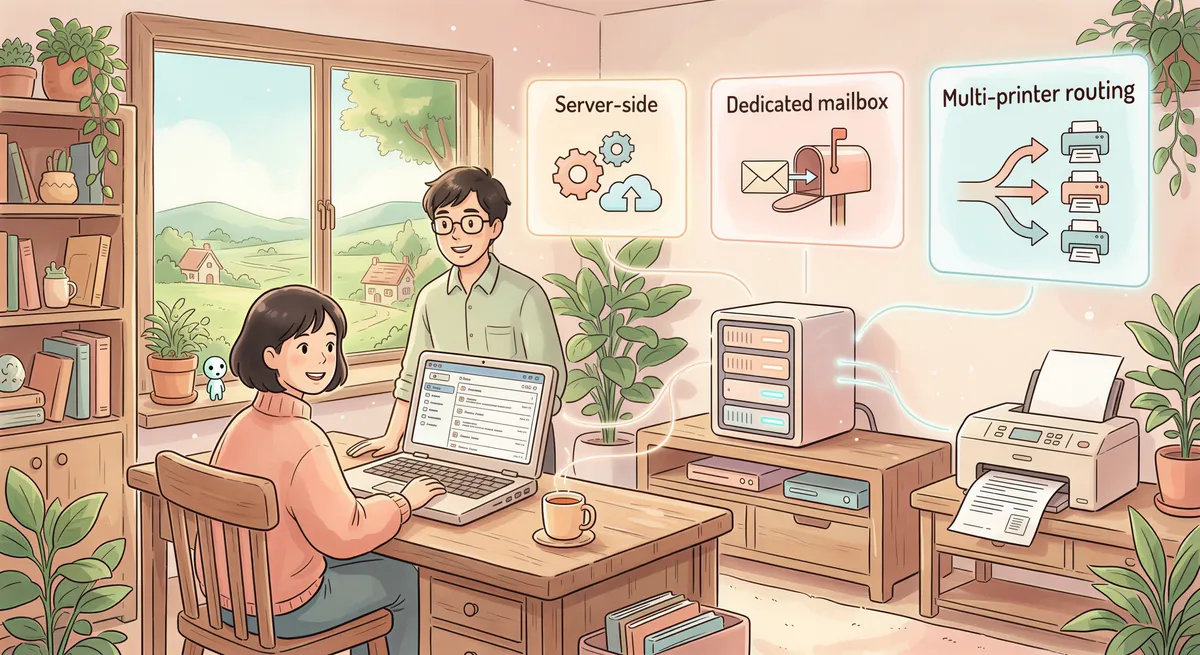
- Server-side, not desktop. The gateway runs as a service on a Linux/Windows server somewhere — not on a user's laptop.
- Dedicated mailbox. Gateways usually own their own SMTP endpoint or POP/IMAP account. Anyone who emails it gets their content printed.
- Multi-printer routing. Most gateways can route to dozens of printers based on subject lines, sender, or recipient address.
Examples: HP ePrint Enterprise, GhostScript-based custom builds, IBM InfoPrint, Black Ice MultiPrint Manager (in some configurations).
Typical price: $5,000-$50,000 perpetual license + annual maintenance, plus implementation services.
That's the right tool when you have specific needs (huge volume, federated org, compliance constraints that demand on-prem). For everyone else — and that's most readers of this article — there are cheaper paths.
When You Actually Need a Gateway
Buy a real gateway if:
- You're printing 50,000+ pages/month from email triggers.
- You have a federated org (multiple offices, different print fleets) that all need centralized routing.
- Compliance requires the print pipeline to live entirely on your own hardware (no SaaS components).
- You need to charge back print costs to specific cost centers from email metadata.
- You have an IT team that can deploy and maintain a server-side service indefinitely.
If two or more of those apply, talk to HP, Black Ice, or IBM. The remaining 95% of "email-to-print gateway" Googlers don't have these needs and end up overspending.

Alternative 1: Desktop Auto-Print Apps
This is what most people actually want when they search "email-to-print gateway."
What it is: A small app on a desktop computer that watches an inbox and prints emails matching rules. Examples: AutoPrintEmail, Sperry AutoPrint, Automatic Email Manager, FolderMill.
Cost: about $30/month, or $99-$500 lifetime per computer. For multi-user setups, team plans add centralized billing at the same per-computer price ($29/month or $499 lifetime on ours).
Pros:
- 5-minute setup. Zero IT involvement.
- Each user controls their own filters and rules.
- Local processing — email content never leaves the user's machine, except Office attachments sent out for PDF conversion (which you can turn off).
- Updates roll out automatically.
Cons:
- Each user needs the app installed. Not centralized.
- The desktop has to stay on (lid open + plugged in).
- Routing logic is per-user, not org-wide.
When it wins: Single office, 1-50 users, each handling their own slice of email-to-print work. Most accounting firms, restaurants, small clinics, dispatch ops.

Alternative 2: Forward-and-Print via a Shared Mailbox
A pure DIY pattern that sometimes works:
- Create a shared mailbox like
print@yourcompany.com. - Set up forwarding rules so anything important emails into that address.
- Have one designated computer running an auto-print app (or a manual rotation of "print monitor" duty).
Cost: $0 in extra software if you already have an auto-print tool. Or $29/month for one seat.
Pros:
- Cheapest possible setup if you already have one auto-print seat.
- Centralized — anyone who forwards to
print@gets printed.
Cons:
- Only one printer per shared mailbox unless you build complex filter rules.
- The "designated" computer becomes a single point of failure.
- Doesn't scale beyond a few hundred prints/day before someone is babysitting it.
When it wins: Very small ops with one trusted printer. Stops being practical above 10 users.

Alternative 3: Cloud Print + Email Forwarding
Some print management tools (like ezeep or PrinterLogic) bundle cloud print + email-triggered jobs. You forward email to a special address, their cloud service handles parsing, then it queues a print job to the registered printer.
Cost: $5-$15/user/month for the print management base, often with email-to-print as an add-on.
Pros:
- Centralized print fleet management included.
- Works across multiple locations natively.
- Real audit logs for compliance.
Cons:
- Email content does pass through their cloud (privacy review needed).
- Per-user pricing adds up at 50+ users.
- Overkill if you only need email-to-print.
When it wins: Mid-market orgs (50-500 users) that already need cloud print management; email-to-print is a bolt-on, not the primary need.

Alternative 4: Programmatic API + Cron
For developer-heavy teams: just use a print API (PrintNode, ezeep API) plus a small script that polls an inbox via IMAP and pushes anything matching to the print API.
Cost: $10-$50/month for the print API. Eng time to write the cron is ~half a day.
Pros:
- Total control over routing logic.
- Easy to extend (e.g., transform PDFs before printing, log to a custom system).
- Cheap.
Cons:
- Requires engineering. Not for non-technical buyers.
- You own the maintenance.
When it wins: Teams already running custom internal tools, that need email-to-print as one piece of a bigger system.

Decision Matrix
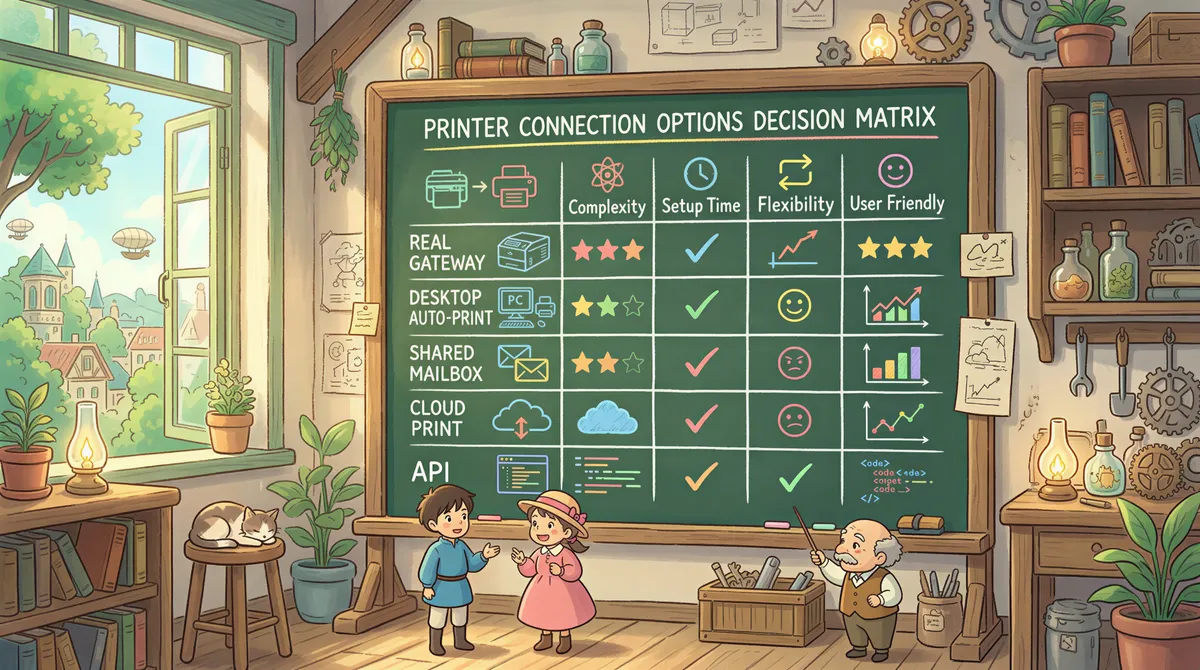
| Setup | Cost (10 users) | IT effort | Right for |
|---|---|---|---|
| Real gateway (HP/IBM) | $20K+ perpetual | High | 50K+ pages/month, federated org |
| Desktop auto-print | $1,500-$5,000 lifetime | Low | Most small-to-mid offices |
| Shared mailbox + auto-print | $500 lifetime | Low | Small ops with central print desk |
| Cloud print + forwarding | $1,200/year ongoing | Medium | Mid-market with hybrid workforces |
| Programmatic API + cron | $300/year + dev time | High (initial) | Dev teams with bespoke needs |
The Specific Recommendation for Most Buyers
If you Googled "email-to-print gateway" and you're a 10-100 person company, you almost certainly want Alternative 1 (desktop auto-print) — not a real gateway.
Setup is 5 minutes, costs under $500/seat lifetime, and handles every "print this email" use case the gateway would.
Start a free 3-day trial of AutoPrintEmail. It has the same outcome as a gateway: emails come in, paper comes out. Just without the server, the IT project, and the $20K invoice.
For multi-user orgs (especially accounting practices, healthcare clinics, distribution centers), the team plan gives you what gateway buyers actually want from "centralized control" without the gateway price tag — centralized billing, admin dashboard with print analytics per user, license reassignment when staff change. 7-day free trial.

TL;DR
- "Email-to-print gateway" is enterprise software costing $20K+ for a problem most teams can solve with a $500 desktop app.
- Real gateway needs: 50K+ pages/month, federated org, on-prem compliance.
- For everyone else: desktop auto-print apps do the same job. Five minutes of setup.
Don't oversize the tool to fit the term you Googled. Match the tool to the actual job.

Ready to get started?
Start printing your emails today.
Nearly 90,000 emails have printed themselves so far — no one opening an inbox, no one clicking print.