Tax Season Prep for CPAs: Automate Document Printing Before October Hits

It's early September. The October 15 extension deadline is six weeks out. Q3 estimated payments hit September 15. Year-end is closer than you think.
If your firm's printing workflow during tax season looks anything like the average — partners walking back and forth to printers, associates spending 2 hours a day on Ctrl+P, the office manager fielding "did you print my K-1?" questions every 20 minutes — now is when you fix it. Not in February.
Here's what to set up between now and the start of tax season so the printing problem is invisible by January.
Table of Contents
- The Tax-Season Print Profile at a Typical CPA Firm
- What to Automate
- Setup Timeline
- The ROI Math at a 10-FTE Firm
- Setting Up the Team
The Tax-Season Print Profile at a Typical CPA Firm
A 10-FTE accounting practice generates print volume in three waves:
- September-October: extension prep, Q3 estimateds, R&D credit documentation. Volume: 200-400 print-this-email tasks per day across the firm.
- January: 1099 prep and mailing, Q4 estimateds, year-end tax-letter generation. Volume: 400-700/day.
- February-April: the actual return season. Volume: 600-1,200/day at peak. Source documents from clients, tax software outputs, signature pages, K-1s mailing out.
Without automation, that's 5-15 hours/day of associate time spent on printing during peak season. An entire FTE-equivalent of work, just on Ctrl+P.
The fix has to be in place by the start of January, which means deployed and tested by mid-October at the latest. October is too late if you wait until then.

What to Automate
Five high-volume categories at any tax-season-active CPA firm:
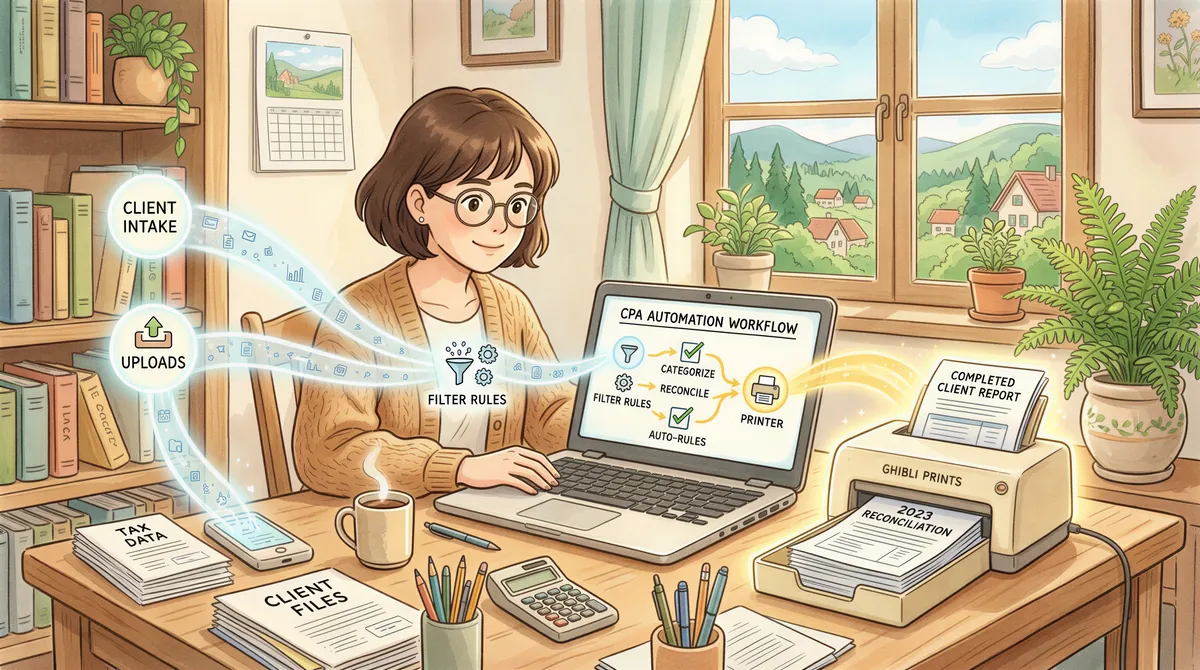
1. Source documents from clients
Clients email PDFs, .docx tax-related files, screenshots, statements — endlessly. Auto-print rules by client domain or by subject keyword route incoming source docs to the prep associate's printer.
Filter:
- Subject contains:
tax,1099,K-1,W-2,1098,1095 - Has attachment: yes
- Action: Print attachment to [tax prep printer]
2. Tax software outputs (Lacerte, ProSeries, UltraTax, Drake, etc.)
Most pro tax software emails draft returns, signature pages (Form 8879), and engagement letters to the firm. These need printed copies for the partner's review folder.
Filter:
- From contains:
lacerte/proseries/ultratax/drake(depending on your stack) - Has attachment: yes
- Action: Print attachment to [partner review tray]
3. K-1s and 1099s coming in from fund administrators
Partnership K-1s arrive throughout March-April from various fund administrators. Each needs printing for the client packet.
Filter:
- Subject contains:
K-1orSchedule K-1 - Has attachment: yes
- Action: Print attachment to [client mailing tray]
4. Signed engagement letters and 8879 e-file authorizations
When DocuSign envelopes return signed, auto-print to the file. Especially during signature-collection season (February-April), the volume of these is enormous.
Filter:
- From contains:
docusign.net - Subject contains:
Completed: - Has attachment: yes
- Action: Print attachment to [executed-docs tray]
See the DocuSign auto-print setup for the full pattern.
5. IRS / state tax authority correspondence
Letters, notices, and acknowledgments from the IRS and state DORs that arrive via email (mostly e-services and notice copies). Always print these.
Filter:
- From contains:
irs.govor[your state].gov - Action: Print body + attachment to [compliance tray]
Setup Timeline
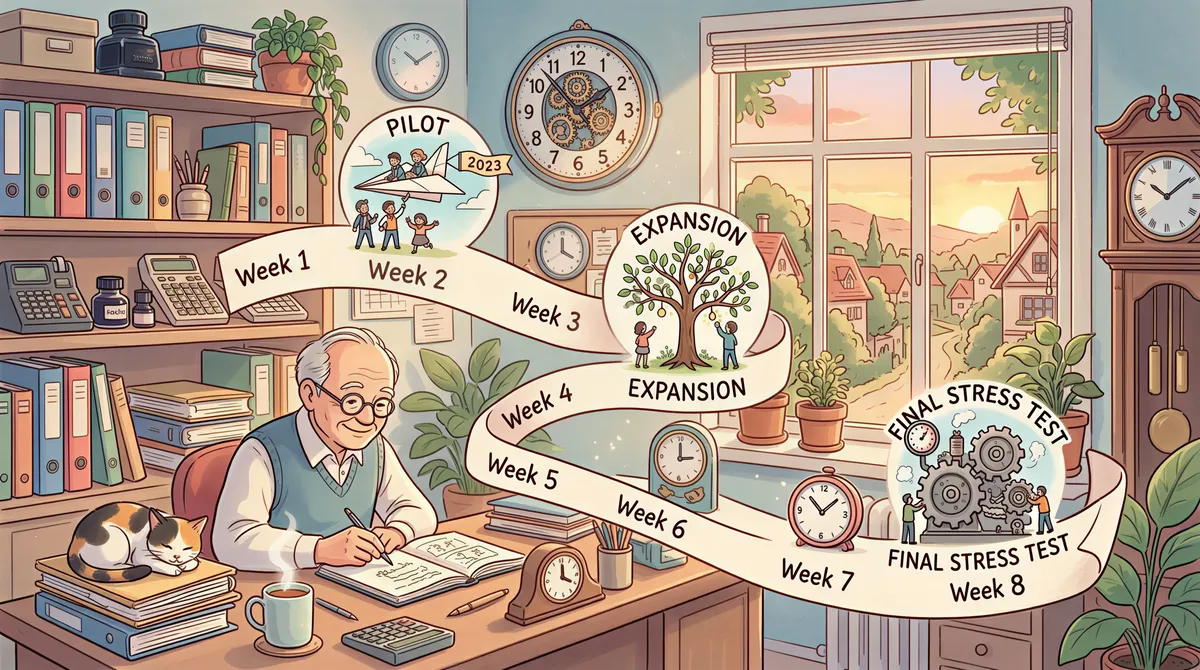
Here's a realistic 8-week deployment plan if you start in early September:
Week 1 (early Sept): Pilot with one associate. Install AutoPrintEmail, set up the 5 filter rules above, validate that prints are arriving correctly during normal Sep workflow (extension prep volume).
Week 2: Expand to the rest of the tax prep team — associates and seniors. Each gets the app installed; rules are largely shared via the team plan workspace settings.
Week 3-4: Add partners, office manager, and admin staff. By now everyone in the firm has auto-print running.
Week 5-6 (early-mid October): Refine filters based on real volume. Adjust printer routing (e.g., maybe partner review goes to a different tray than first thought). Tune the workspace settings (sync metadata, Office conversion opt-out, etc.) for your compliance posture.
Week 7-8 (late October): Final stress test with extension-deadline volume. Confirm dashboard analytics show all users actively printing. Document the setup so the office manager can troubleshoot during peak season without you.
By November 1, the firm is steady-state. By January, when 1099 mailing kicks off, no one's manually printing anything.
The ROI Math at a 10-FTE Firm
Mid-season volume at 800 print-this-email tasks/day × 90 seconds = 20 person-hours/day. At $60/hour blended associate cost, that's $1,200/day, or **$120,000 of associate time** across a 100-day peak tax season.
A 10-computer lifetime AutoPrintEmail deployment is $4,990 once. ROI: 24× in year one, infinite afterwards.
The bigger win is the partner who calls "did you send the engagement letter?" and the answer is "yes, here's the timestamp." Versus "uh, let me check..."

Setting Up the Team
For a CPA firm, the team plan is the right shape:
- Centralized billing (one invoice, not 10 expense reports).
- Admin dashboard with print analytics per associate — useful for confirming during peak season that everyone's actually using auto-print, not still ctrl-printing.
- Self-serve license reassignment when staff rotate (associates leave, new hires arrive, common in firms).
- Workspace-wide compliance settings — set Office-conversion opt-out once, applies to all 10 users.
7-day free team trial, up to 10 seats during the trial. Plenty to validate the pilot before you commit.
For volume pricing on 10+ seats with lifetime licensing, email support@autoprint.email — typical discounts at 10-30 seats are 20-30% off the public per-seat rate.

Ready to get started?
Start printing your emails today.
Nearly 90,000 emails have printed themselves so far — no one opening an inbox, no one clicking print.