Auto-Print Incoming Faxes From Email
Your fax number lives online now. Prescriptions, referrals and refill requests show up as emails, 20 or 30 a day, and someone at the counter still has to open each one and hit Print between patients.
Not anymore. Point your fax service at an inbox, connect that inbox to AutoPrintEmail, and every fax prints the moment it arrives, on the printer by the bench or the front desk. Like the old fax machine, minus the machine. Nothing in the fax passes through our servers.
Table of Contents
- Get faxes into your inbox as a PDF
- Set up the fax inbox in AutoPrintEmail
- If faxes share an inbox with other email
- A fax arrived but nothing printed
- Faxes with patient details
Get faxes into your inbox as a PDF
AutoPrintEmail prints what's attached to the email. So the one thing to check is that your fax service attaches the fax, as a PDF if it gives you the choice.
| Service | Where to set it | Watch out for |
|---|---|---|
| iFax | My Notifications > Inbound > turn on "New fax received" email | Off until you switch it on. Receiving needs the Plus plan or above |
| SRFax | Settings > Receiving Faxes. Add your inbox and choose PDF | "Notify only" sends the email without the fax |
| Ooma Office | Add Virtual Fax to the extension | Faxes are emailed as PDF attachments |
| RingCentral Fax | Messages & Notifications > Advanced > tick "Include attachment with email" | Unticked, the email has nothing to print |
| eFax | MyAccount > Preferences > Receive Fax Options, pick PDF | EFX is eFax's own format and won't print |
| Fax.Plus | Settings > Faxing > Notification > Email, choose "notify and attach" | The free plan can't receive faxes |
Menus move around. If yours looks different, search your fax service's help for "fax to email attachment".
Tip: send faxes to their own inbox, like fax@yourpractice.com. It keeps the setup below simple.
Set up the fax inbox in AutoPrintEmail
- Add the fax inbox as an account in AutoPrintEmail. Here's how if you haven't done it before.
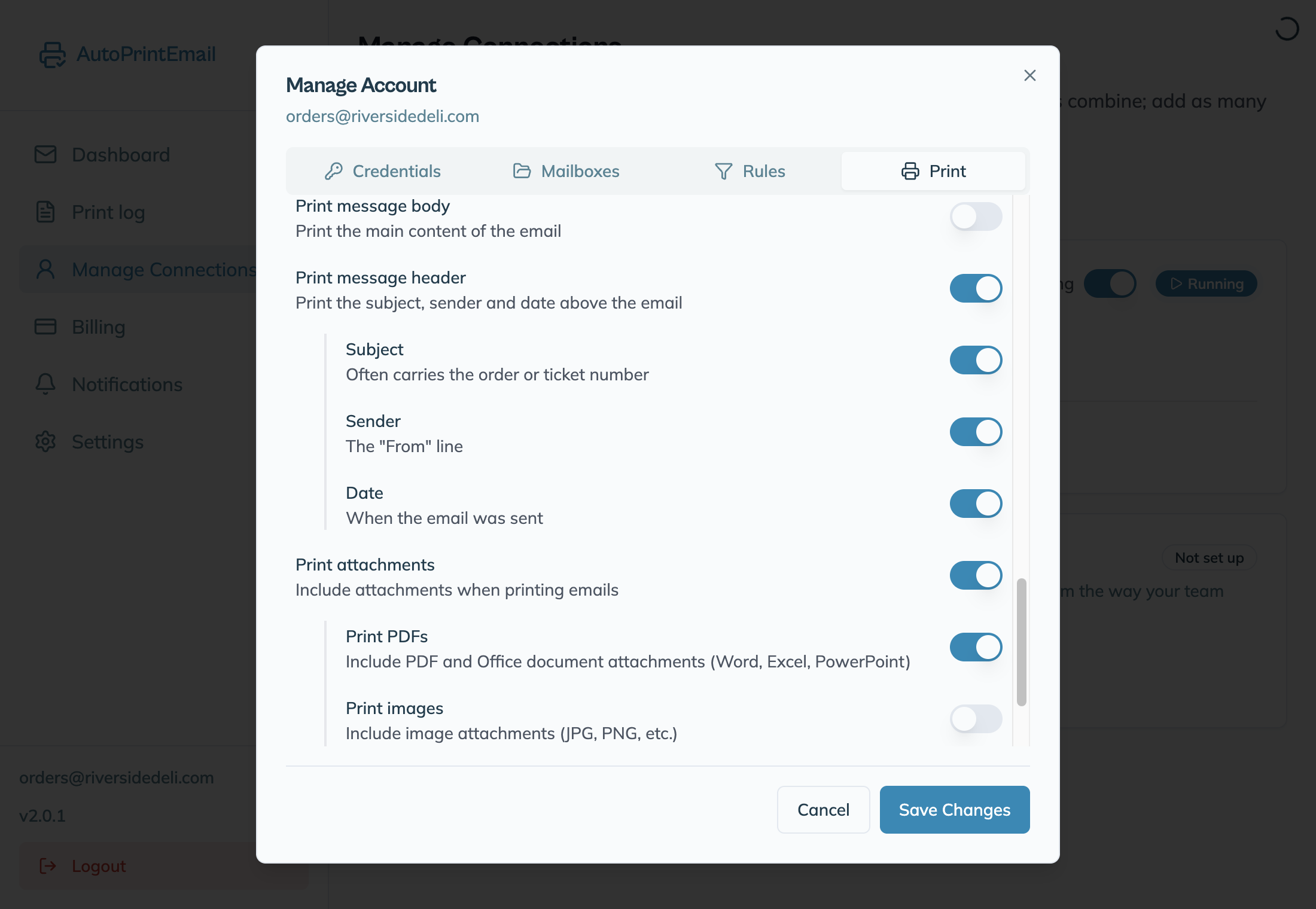
- Click Manage on the account and open the Print tab.
- Pick the printer the faxes should come out of.
- Turn off Print message body. The email text is just "You have a new fax", and you don't need it on paper.
- Keep Print attachments on. That's the fax itself.
- Click Save Changes.
Send yourself a test fax. It should print within about a minute.
Turning off the message body also protects you from phishing. Fake "you have a fax" emails are common, and one without an attachment now prints nothing.
If faxes share an inbox with other email
Add a rule so only faxes print (or so faxes go to their own printer):
- Open a real fax email and note the domain in its From line. Our customers see domains like
ifaxapp.com,srfax.com,ooma.comandfax.plus. - In AutoPrintEmail, click Manage on the account, open Rules and click Add Rule.
- Name it "Faxes" and keep When this matches on Print it.
- Add the condition Sender contains with that domain.
- If the service also sends you receipts or newsletters, add Subject contains
faxand set Match ALL conditions (AND). - To print faxes on a different printer, turn on Send this rule's matches to specific printers and pick it.
- Click Create Rule, then Save Changes.
A print rule means only matching emails print. If you want everything else to keep printing too, see how rules work together.
A fax arrived but nothing printed
- The email has no attachment. Your fax service is set to notify only. Switch it to attach the fax (see the table above).
- The attachment isn't a PDF or image. eFax's EFX format can't be printed. Switch to PDF.
- The rule doesn't match. Compare the rule's sender with the From line of the fax email. The match ignores upper and lower case.
- The computer was asleep. The app prints from the computer it runs on. Keep it awake on Windows or Mac.
Still stuck? Send us your logs.
Faxes with patient details
The fax is downloaded from your mailbox and printed on your computer. It is never uploaded to us.
Two more things for clinics, pharmacies and anyone handling patient data:
- Use a fax plan with a BAA. Your fax service is the one storing the fax. SRFax, RingCentral, eFax and Fax.Plus each offer a BAA on some plans.
- Turn off "Email metadata in print history" on the Settings page of your dashboard. Your print log then shows that something printed, when and where, but no sender, subject or file names.
More on the whole setup: auto-print faxes from email.