What Happens When Your Free Trial Ends
Three days of hands-off printing, then the app asks you to pick a plan. Here's exactly what that looks like, so nothing catches you out.
Table of Contents
How long the trial lasts
- 3 days from the moment you start it in the app, with no card needed.
- Up to 10 computers during the trial, so you can test a multi-location setup properly. See Add a Computer or Team Member.
- The time left shows in the app and on your team page at autoprint.email/team.
On Shopify? The Shopify app has its own 7-day trial, billed through Shopify.
What happens when it ends
- Printing stops. The app keeps running, but new emails are no longer printed.
- The app shows "Your Trial Has Ended" with the two plans, and how many documents you printed during the trial.
- Nothing is deleted. Your mailboxes, printers and rules stay exactly as you set them up.
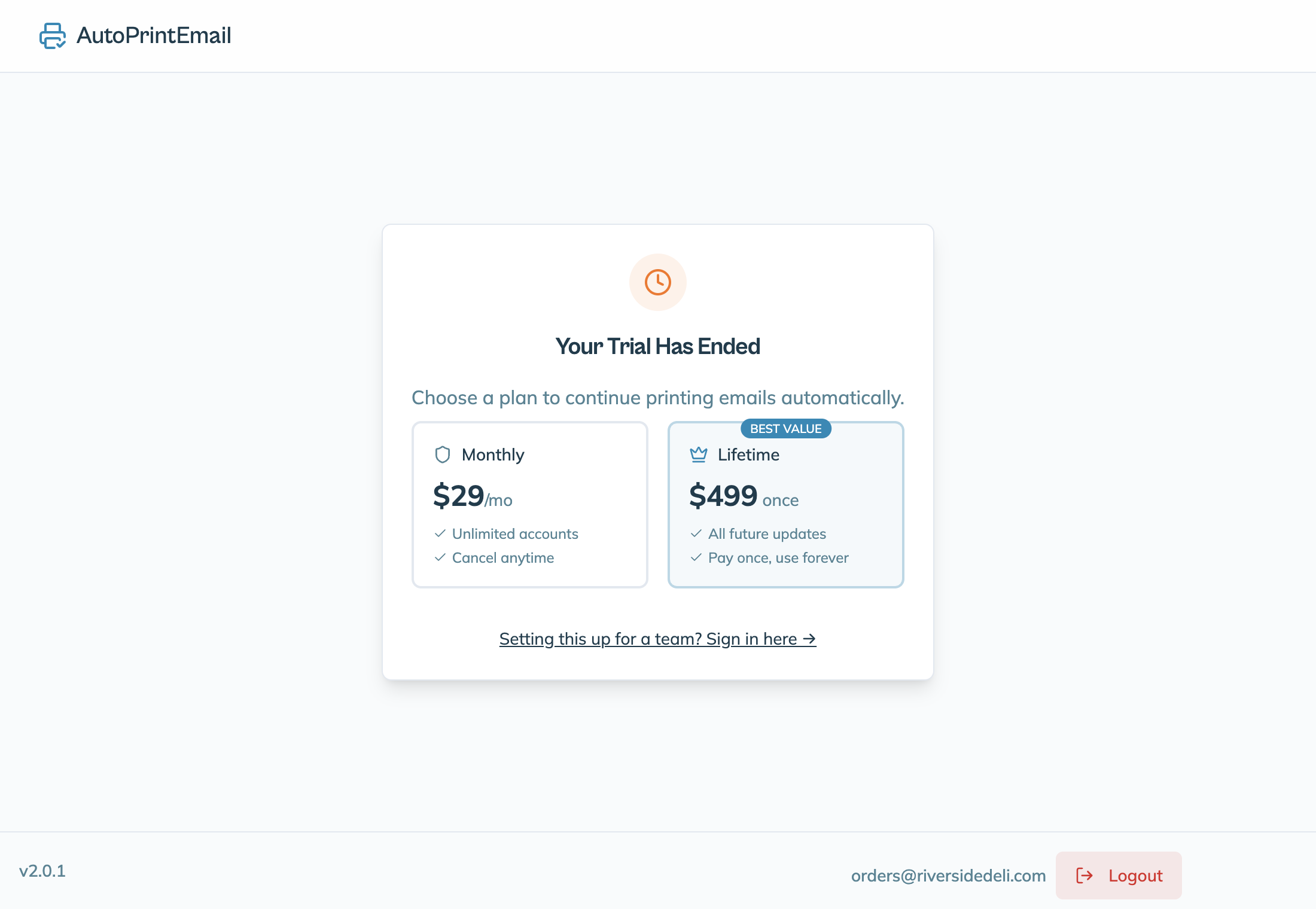
Emails that arrive while printing is off are not printed later on their own. If you need any of them, print them by hand once you've picked a plan.
Pick a plan
You can do it in either place:
- In the app: on the "Your Trial Has Ended" screen, click Monthly or Lifetime and pay in the browser window that opens.
- On the web: go to autoprint.email/team > Billing and click Subscribe Monthly or Buy Lifetime.
Printing starts again as soon as the payment goes through. Not sure which plan? See How Pricing Works.
Choose Monthly before the trial ends and nothing stops at all: your card is saved now and the first charge happens when the trial runs out. Lifetime is charged straight away.
Set more computers during the trial than you'll keep? Lower the Computer count on the Members page before you subscribe. The monthly plan is billed for that number.
Need more time?
Testing something bigger, like setting it up for clients or several locations? Email us before the trial ends and tell us what you're testing. We're happy to extend it.