HP ePrint Not Working? What to Use Instead
You emailed a document to your printer for years. PDF in, paper out, no computer involved. Then one day you forwarded an invoice to your printer's @hpeprint.com address and... nothing. No paper. No error you could understand. Just silence.
You're not imagining it, and your printer isn't necessarily broken. On newer HP printers, ePrint isn't there at all.
If you relied on emailing things straight to your printer - from your phone, from a back-office account, from a supplier who sent orders to a dedicated address - losing it breaks a workflow a lot of small businesses leaned on. The good news: the thing ePrint did is easy to get back on any printer. Let's walk through what HP says and how to get unstuck.
Table of Contents
- HP ePrint not working? What can you use instead?
- What was HP ePrint and how did it work?
- Which HP printers still support ePrint?
- Is HP Print Anywhere (HP Smart) a replacement for ePrint?
- What are the best HP ePrint alternatives? (the honest list)
- How do you auto-print emails without ePrint?
- What's the closest replacement for ePrint's email address?
- Common questions, answered straight
- Can I still email documents to my printer?
- Will my newer HP printer get ePrint?
- My printer has an
@hpeprint.comaddress but mail doesn't print. Why? - Does HP Smart do email-to-print?
- I don't have an HP printer - does any of this still apply?
- Is emailing my printer less secure now?
- Do I need to leave a computer on?
- TL;DR
HP ePrint not working? What can you use instead?
HP says ePrint is not supported on printers released after fall 2020, and offers Print Anywhere as the alternative (HP Support). Older models may still have an ePrint address. If yours no longer prints from email, or you're on a newer model, the closest functional replacement is AutoPrintEmail, a standalone desktop app that watches a Gmail, Outlook, or IMAP inbox and automatically prints matching emails and attachments to any printer installed on your computer - any brand, with email content processed locally (except Office attachments, which go through our converter (that can be turned off)) instead of routed through a cloud. If there's no computer to spare near the printer, ItJustPrints is our sibling product built for that case: you forward mail to a private print address and a phone or tablet beside the printer prints it. Same outcome, opposite trade-off - AutoPrintEmail keeps message content on your own machine, ItJustPrints renders it in our cloud first. HP's own alternative, Print Anywhere in the HP Smart app, prints through the HP app on supported HP printers. On printers that still support ePrint, HP Smart shows the printer's ePrint address. Organisations already running a print-management suite like PaperCut can use its Email to Print feature.
Here's how the realistic options stack up:
| Alternative | What it is | Works with any printer? | Cloud dependency | Best for |
|---|---|---|---|---|
| AutoPrintEmail | Desktop app that auto-prints emails + attachments from Gmail, Outlook, or IMAP | Yes - any printer your computer can print to | Email is processed locally, except Office attachments, which go through our converter (that can be turned off) (free 3-day trial, $29/month or $499 lifetime) | Ex-ePrint users who want "email in, paper out" back |
| ItJustPrints | Phone/tablet app that prints whatever you forward to a private print address | Yes - any AirPrint or network printer the device can reach | Cloud receives and renders the forwarded mail ($99/month per print station, 14-day trial) | Counters and back offices with no computer at all |
| HP Print Anywhere (HP Smart) | HP's app-based remote printing | No - supported HP printers | Print Anywhere prints through the HP app. On printers that still support ePrint, HP Smart shows the printer's ePrint address | Printing your own files to a supported HP printer |
| PaperCut (Email to Print) | Print-management suite | Broad, via your print servers | Runs on a PaperCut NG/MF server (on-site or self-managed cloud) | Organisations already running PaperCut |
| PrinterOn / ezeep | Hosted print services | Depends on deployment | ezeep: cloud printing, no print server (free plan up to 10 users); can be triggered from Gmail via Zapier/Make | Hotels, schools, libraries; small teams on ezeep |
| Make.com / Zapier | DIY automation chaining an email trigger to a print step | Usually still needs a local print agent or print service | Cloud automation platform | People comfortable building their own workflows |
| Printing manually | Open the email, download, click Print | Yes | None | A couple of emails a day - not fifty |
The rest of this guide walks through what HP says, how Print Anywhere differs from ePrint, and how to migrate.
What was HP ePrint and how did it work?
HP ePrint gave every supported printer its own email address, something like yourprinter@hpeprint.com. Send an email (or an attachment) to that address from anywhere, and the printer would print it. No driver, no app, no being on the same Wi-Fi. It was email-to-print before most people had a name for it.
That simplicity is exactly why people built habits around it:
- A phone with no printer driver could still print a boarding pass or a PDF.
- A shop could hand suppliers one email address and orders just printed at the counter.
- A remote bookkeeper could email a statement to the office printer without remoting in.
It wasn't fancy. It was reliable plumbing. And plumbing is the worst kind of thing to lose, because you only notice when it stops.

Which HP printers still support ePrint?
HP says ePrint is not supported on printers released after fall 2020 (HP Support). For those models, HP offers Print Anywhere in the HP Smart app as the alternative.
For older printers, HP still documents how to find the printer's ePrint address in HP Smart. So there are two different stories. One is "my new printer never had it." The other is "my older printer has an address; is it still set up?" If it is, HP Smart is where to check.
Either way, ePrint only ever worked with supported HP printers. We'll get to how Print Anywhere differs in a minute.
Is HP Print Anywhere (HP Smart) a replacement for ePrint?
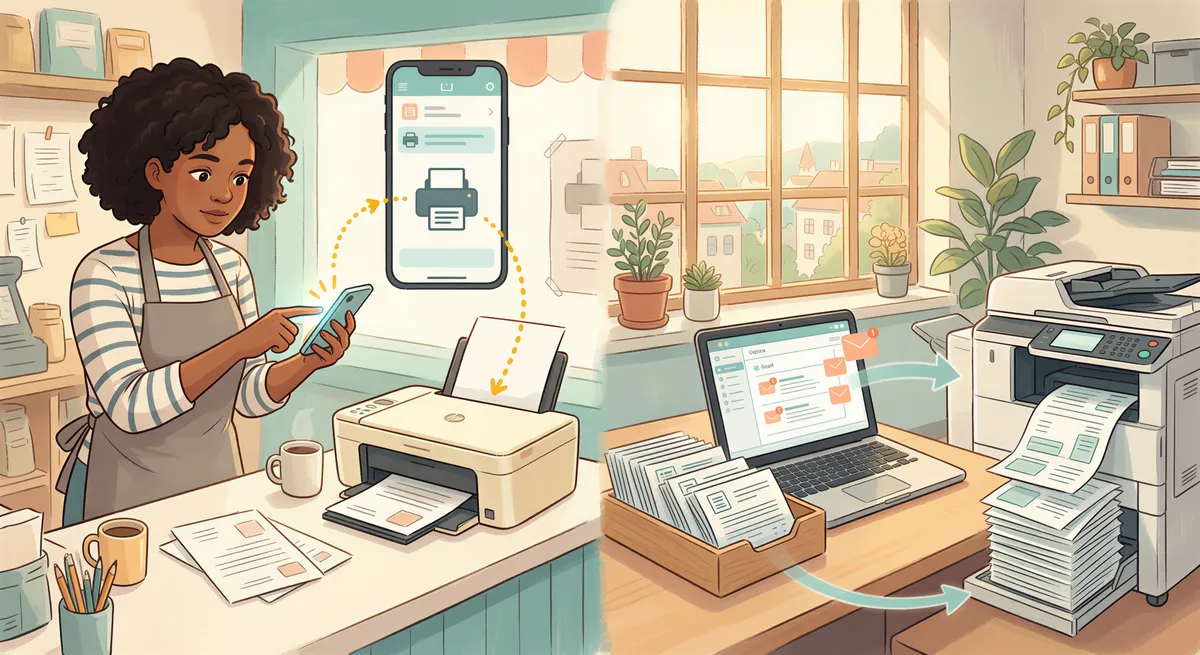
For newer printers, HP points you to HP Smart's Print Anywhere. On paper it sounds similar - "print to your HP printer from anywhere." In practice it solves a different problem:
- It's app-based, not email-based. Print Anywhere prints through the HP app. On printers that still support ePrint, HP Smart shows the printer's ePrint address.
- It's HP-only. If you've got a mix of HP, Brother, and Epson printers, it doesn't help the others.
So if you used ePrint as "a printer that reads email" and your printer is newer, Print Anywhere is a different tool: a remote print button inside an app.
What are the best HP ePrint alternatives? (the honest list)
Here's the part you came for. The goal is to get back the actual capability you lost: an email shows up, the right document prints, nobody clicks anything.

AutoPrintEmail (the direct successor)
This is what we make. It covers the same job as ePrint, from the other end.
Instead of HP running a cloud address for your printer, AutoPrintEmail runs as a small desktop app on a computer next to your printer. It connects straight to your real inbox - Gmail, Outlook, Office 365, or any IMAP account - watches for messages that match your rules, and prints them (and their attachments) to whatever printer that computer can already reach.
Why it maps cleanly onto ePrint:
- It's email-in, paper-out. Mail your work account, or have suppliers/staff send to a label or folder, and it prints. Same mental model as ePrint.
- It's printer-agnostic. HP, Brother, Epson, Canon, over Wi-Fi or USB - if your computer can print to it, so can the app.
- It's not a cloud relay. Your email connects over secure OAuth and content is processed locally on your machine, except Office attachments, which go through our converter (that can be turned off).
- It works with any provider, not one printer brand's walled garden.
You point it at an inbox, set a rule or two (sender, subject, label, attachment type), and walk away. There's a free 3-day trial, then $29/month or $499 lifetime. See how it auto-prints Gmail or Outlook, or the full email-to-print software overview.
PaperCut, PrinterOn, ezeep, and other print services
PaperCut NG/MF includes Email to Print: people send documents to a printer's address, configured by whoever runs the PaperCut server. ezeep is a cloud print service with a free plan for up to 10 users; it triggers prints from email through Zapier or Make rather than watching an inbox itself. PrinterOn is a hosted print service with editions for hotels, schools and libraries.
Make.com or Zapier (the DIY route)
If you're technical and already live in automation tools, you can connect an email trigger to a print step. It usually still needs a local agent or a print service to reach the physical printer, and you maintain the workflow yourself.

The "just print it manually" non-option
Worth saying out loud: a lot of ex-ePrint users default back to "open the email, download, click Print" because it's familiar. If that's two emails a day, fine. If it's fifty order confirmations, you've quietly re-hired a person to babysit a printer. We did the math on that in the hidden cost of manual email printing.
How do you auto-print emails without ePrint?
The flow is deliberately boring, which is the point:
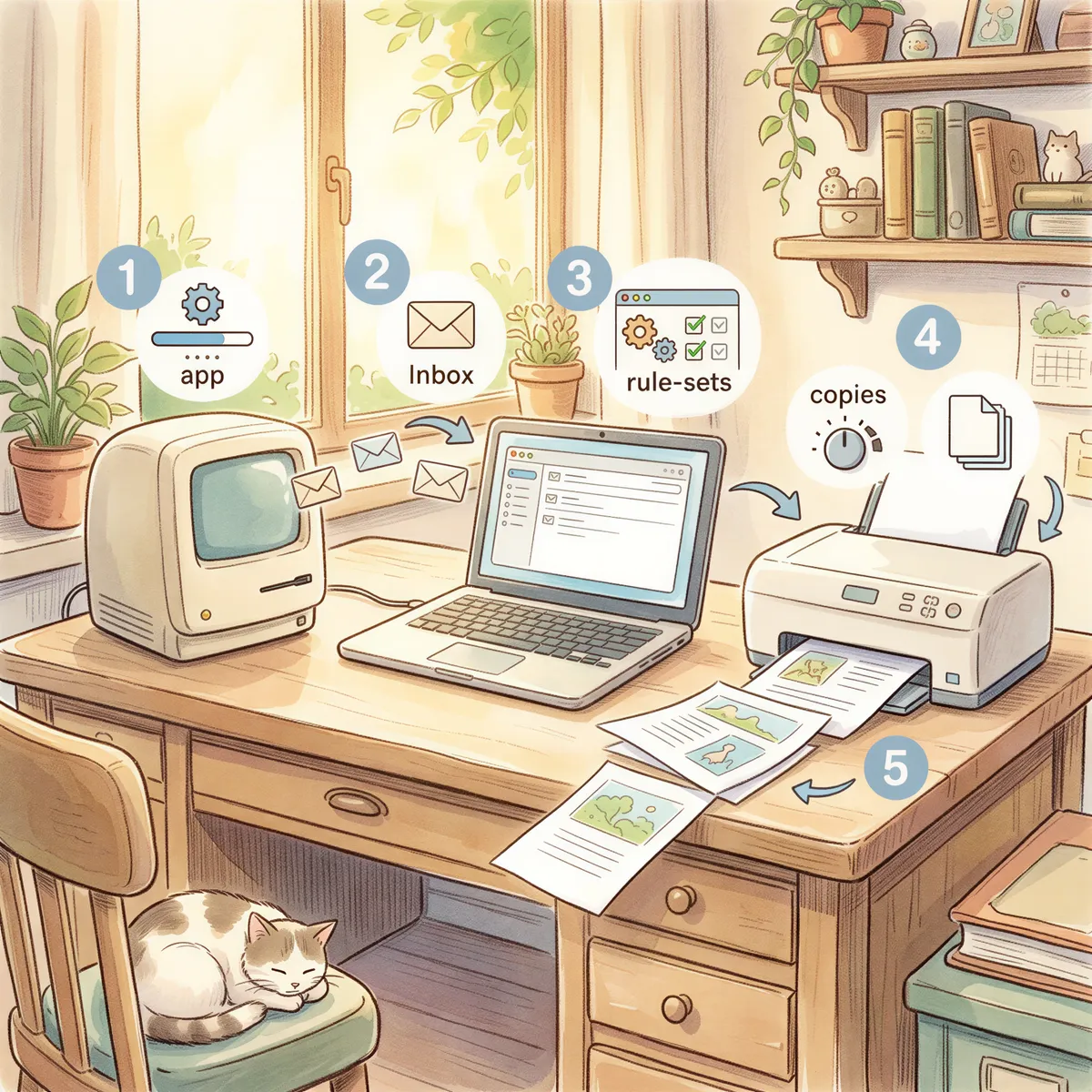
- Install the app on a computer that stays on near the printer (an old laptop or mini PC is plenty).
- Connect your inbox - Gmail and Outlook connect over OAuth, so you sign in on Google's or Microsoft's own page instead of handing over a password; anything else connects over IMAP.
- Set rules for what should print: a Gmail label, an Outlook folder, a sender, a subject keyword, or "attachments only."
- Pick the printer and how many copies.
- Leave it running. Email lands, paper appears.
For a deeper walkthrough, the automated email printing guide and the 2026 email-to-print guide cover the edge cases.
No computer at that location? The same five steps run on a phone or tablet with ItJustPrints instead: install it, pick the AirPrint printer, forward mail to the private address it hands you. You still need a device that stays awake next to the printer - it just doesn't have to be a PC, and the rendering happens in our cloud rather than on your own machine.
What's the closest replacement for ePrint's email address?
A regular inbox you own. If suppliers or staff used to send to your old @hpeprint.com address, you don't have to retrain everyone:
- Point them at a real inbox you control instead - say
orders@yourshop.com- or a dedicated Gmail/Outlook label. - Set AutoPrintEmail to watch that address or label and print matches.
- Now the exact same "email it and it prints" habit works again, on an inbox you own, with any printer.
If what you miss is the address itself - one line you hand a supplier, no inbox to set up - ItJustPrints issues a dedicated print address (print-xxxx@in.itjustprints.app) that behaves the way @hpeprint.com used to: mail in, paper out. The difference from HP's version is that the thing printing is your own phone or tablet, not a printer tied to one vendor's cloud.
The key upgrade either way: pointed at an inbox or an address you control, the workflow isn't tied to one printer model.

Common questions, answered straight
Can I still email documents to my printer?
On older HP printers that still support ePrint, maybe: HP Smart shows the printer's ePrint address. Newer HP printers don't support ePrint, and Google Cloud Print shut down at the end of 2020. Some brands still offer a printer email address, for example Epson Email Print, which prints what's sent to that one address. What you can do with any printer is email documents to a regular inbox you control and have an app like AutoPrintEmail print whatever lands there. Same habit, same result, any printer.
Will my newer HP printer get ePrint?
HP says ePrint is not supported on printers released after fall 2020 and points those models to Print Anywhere (HP Support). Older ePrint printers may still accept mail; HP Smart shows the address.
My printer has an @hpeprint.com address but mail doesn't print. Why?
Check the printer in HP Smart: HP documents finding the ePrint address there for printers that support it. If your model was released after fall 2020, HP says ePrint isn't supported on it.
Does HP Smart do email-to-print?
Print Anywhere prints through the HP app. On printers that still support ePrint, HP Smart shows the printer's ePrint address.
I don't have an HP printer - does any of this still apply?
Yes, and that's the upside. The replacement works with any printer your computer can reach, so you're no longer tied to one brand's cloud service.
Is emailing my printer less secure now?
Connecting an app to your own inbox over OAuth, with content handled locally (except Office attachments, which go through our converter (that can be turned off)), puts you in control: you decide exactly which messages print.
Do I need to leave a computer on?
With AutoPrintEmail, yes - one always-on machine near the printer does the watching and printing, and that is the trade-off that keeps your email content on your own machine. A cheap mini PC or a spare laptop handles it without fuss.
If there is no computer to spare, ItJustPrints does the same job from a phone or tablet (App Store and Google Play). Be clear on what that changes: you still need a device that stays awake and plugged in beside the printer, and the mail you forward is received and rendered in our cloud instead of on your own machine. No computer, but not no device.
TL;DR
- HP says ePrint is not supported on printers released after fall 2020. Older ePrint printers may still accept mail; HP Smart shows the address.
- HP Smart / Print Anywhere prints through the HP app, on supported HP printers.
- The capability you actually lost - email arrives, document prints, no clicks - is easy to get back.
- AutoPrintEmail connects to Gmail, Outlook, Office 365, or any IMAP inbox, prints to any printer, and processes email locally (except Office attachments, which go through our converter (that can be turned off)).
- No computer at that location? ItJustPrints is the sibling app that runs the print station on a phone or tablet - a dedicated print address, mail in, paper out, with the rendering done in our cloud instead of locally.
- Point it at an inbox you own and the old "just email it and it prints" workflow works again, on any printer. Try it free.

Ready to get started?
Let the printer open the inbox.
90,000+ emails have printed themselves so far. Nobody opened an inbox. Nobody clicked print.